What you need
Engaging self-paced learning
How Buddy can help
Turn supplied material into short lessons, purposeful interactions and realistic practice.

The Survivor Service × Buddy
Designed around your audience, your budget and the people at the centre of your work.
Prepared by Buddy · 27 October 2026 · Proposal for discussion
How we can help you
Your team brings the knowledge, lived experience and understanding that make this training valuable. Buddy can help shape that expertise into an accessible, interactive learning experience that people can work through in their own time.
We’ll work with you to create clear content, meaningful scenarios and practical knowledge checks, supported by simple access and useful completion records. We’ll also look after the technical setup, so the experience fits alongside your Squarespace website and can grow with you.
What you need
How Buddy can help
Turn supplied material into short lessons, purposeful interactions and realistic practice.
What you need
How Buddy can help
Select an appropriate mix for the learning goals and budget, with feedback that explains the reasoning.
What you need
How Buddy can help
Provide a mobile-friendly course accessed through a clear link.
What you need
How Buddy can help
Configure an agreed completion rule, secure records, an export and administrator notifications.
What you need
How Buddy can help
Add a course launch button or link; assess embedding if preferred. We can take care of the Squarespace setup if you need a hand.
What you need
How Buddy can help
Agree source handover, ownership and any editing software requirements before development.
What you need
How Buddy can help
Separate development, hosting, software and optional maintenance costs.
What you need
How Buddy can help
Build reusable layouts and interaction patterns, with a practical handover guide.
Certificates and a complex LMS are outside the requested scope.
Your challenges. Our help.

We help identify what belongs in the course, what learners should practise and what works better as a reference.

We work with your reviewers to shape language, scenarios and imagery with dignity and care.

Planned checkpoints and consolidated feedback keep your involvement focused.

We begin with a manageable module and invest in interactions that serve a clear purpose.

Learners get a straightforward experience; your team receives the completion information it needs.

Reusable structures and agreed source handover make future updates easier.
Concept ideas — ten possible learning screens
These are initial directions inspired by your public website. We’ll shape the actual topics, audience and learning outcomes around your existing training content.
TSS01
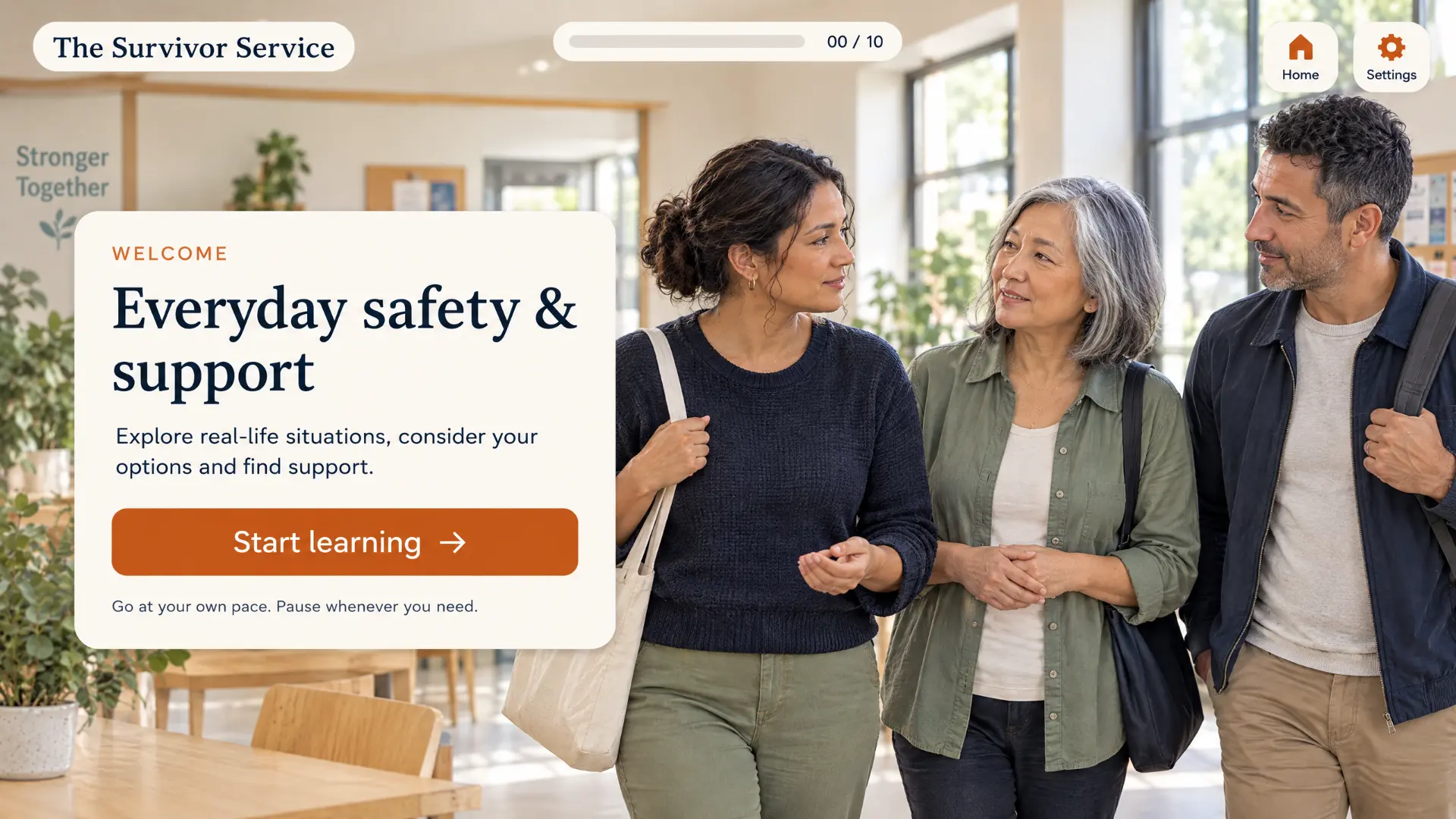
Purpose: Set a calm, safe start and explain what the learning covers.
Learner interaction: A proposed opening screen introducing everyday situations, options and support, with a clear start control and permission to pause.
Visual brief: A welcoming community scene with a spacious introduction panel and an orange start control.
TSS02
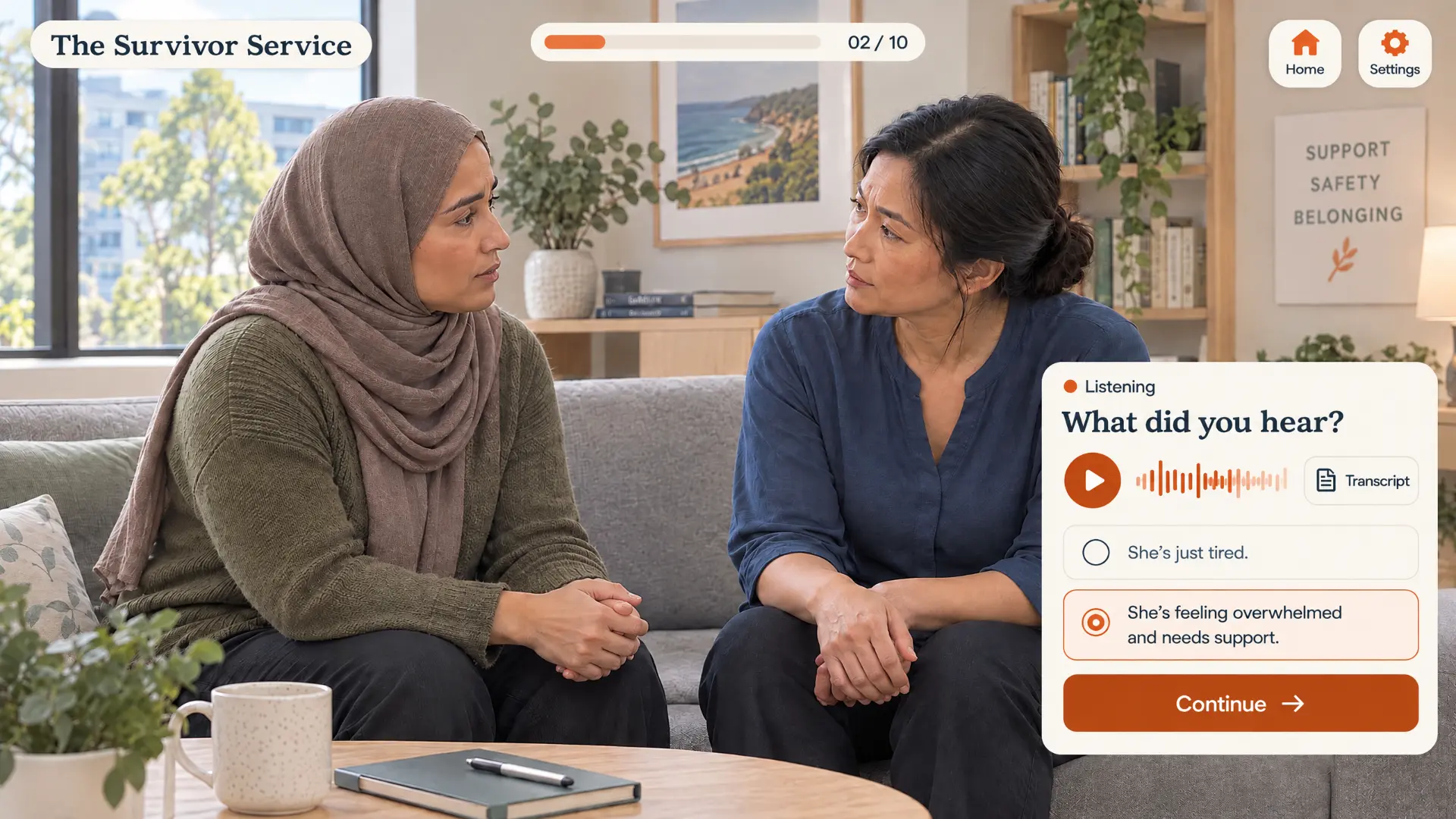
Purpose: Explore listening carefully and responding with care.
Learner interaction: A proposed audio activity with transcript access and response choices, followed by client-approved feedback.
Visual brief: A conversation scene with a compact listening panel and clear orange controls.
TSS03
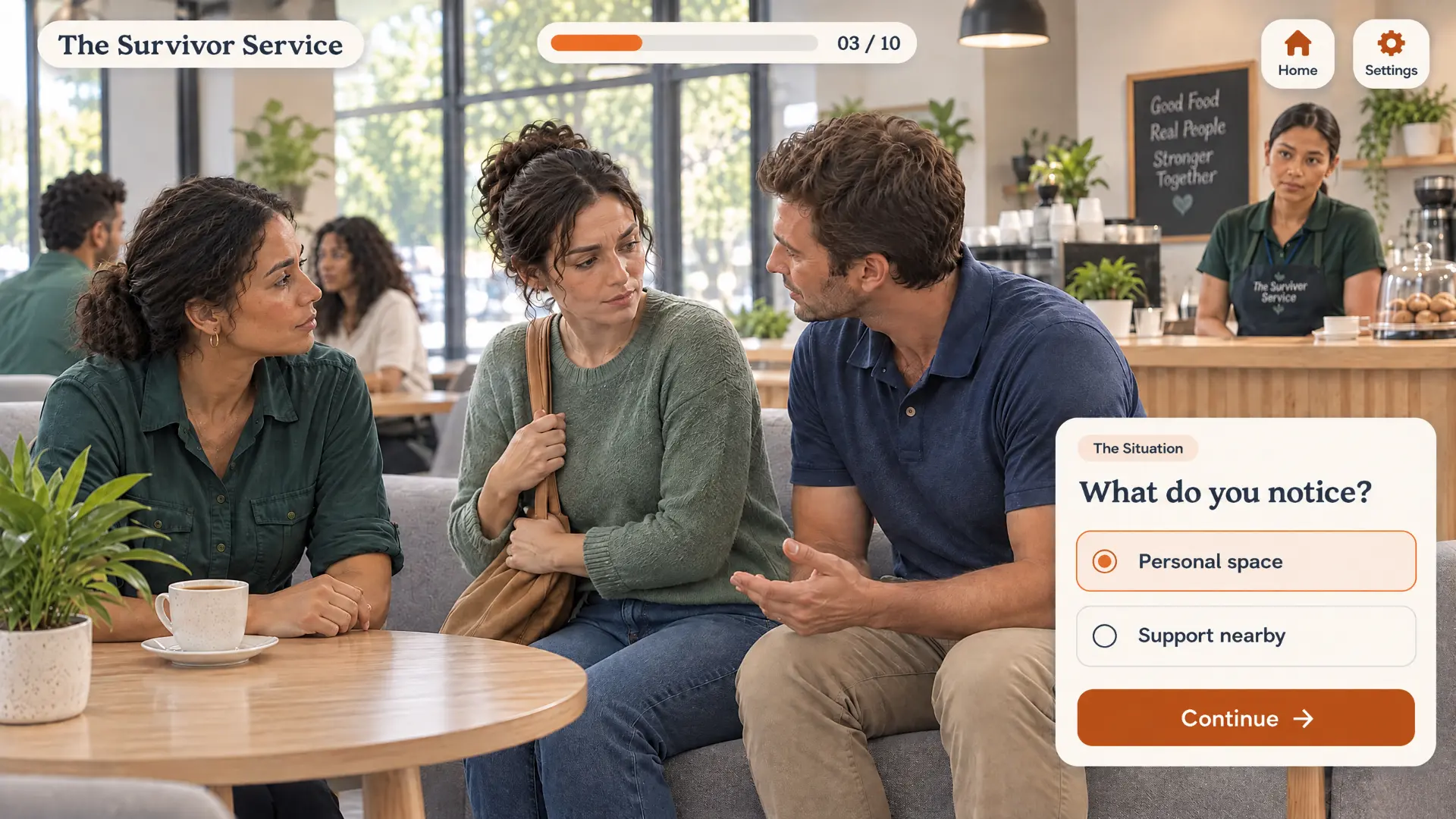
Purpose: Practise noticing context without making assumptions.
Learner interaction: Explore what stands out in a fictional situation, with explanations reviewed by the client.
Visual brief: A café scene with a short observation prompt and click-based choices.
TSS04
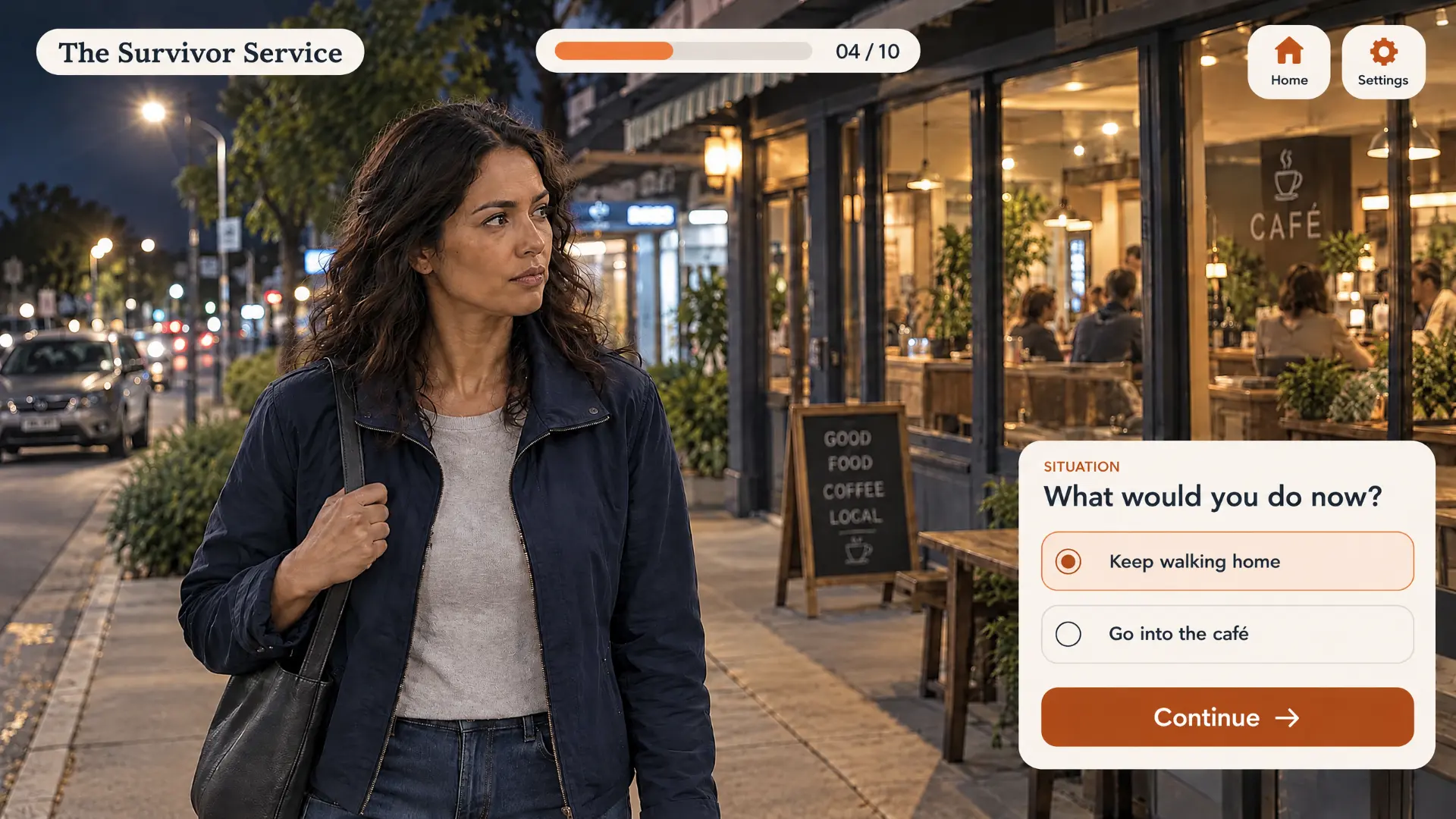
Purpose: Explore options in an everyday situation while keeping personal agency central.
Learner interaction: Consider possible next steps in a fictional scenario, with contextual feedback rather than a universal safety rule.
Visual brief: An evening street scene with a clear decision panel.
TSS05
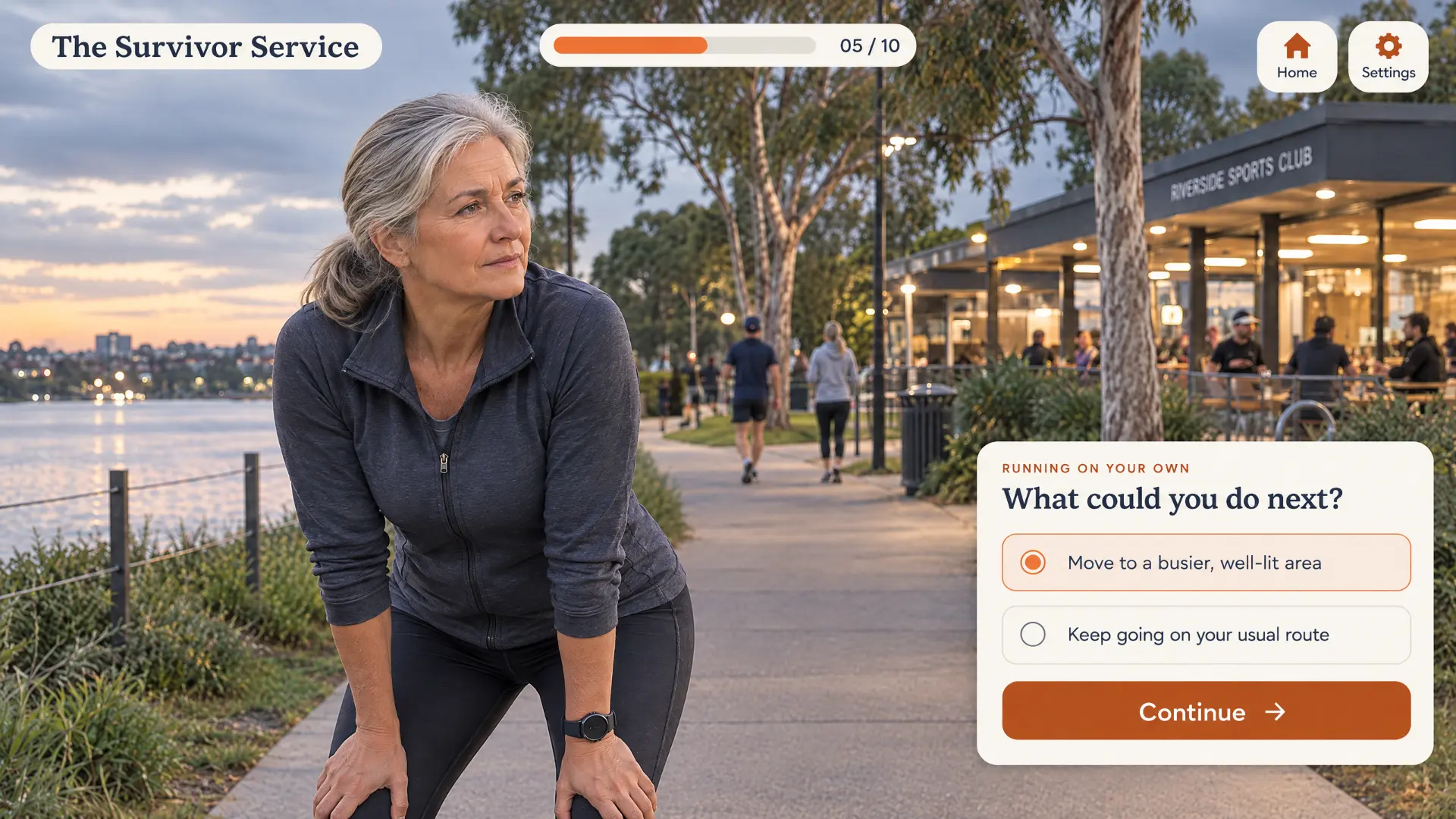
Purpose: Reflect on context, choice and available support in an everyday setting.
Learner interaction: Compare possible next steps, with client-approved feedback that avoids placing responsibility for violence on the person affected.
Visual brief: A waterfront setting with a short scenario prompt and orange response controls.
TSS06
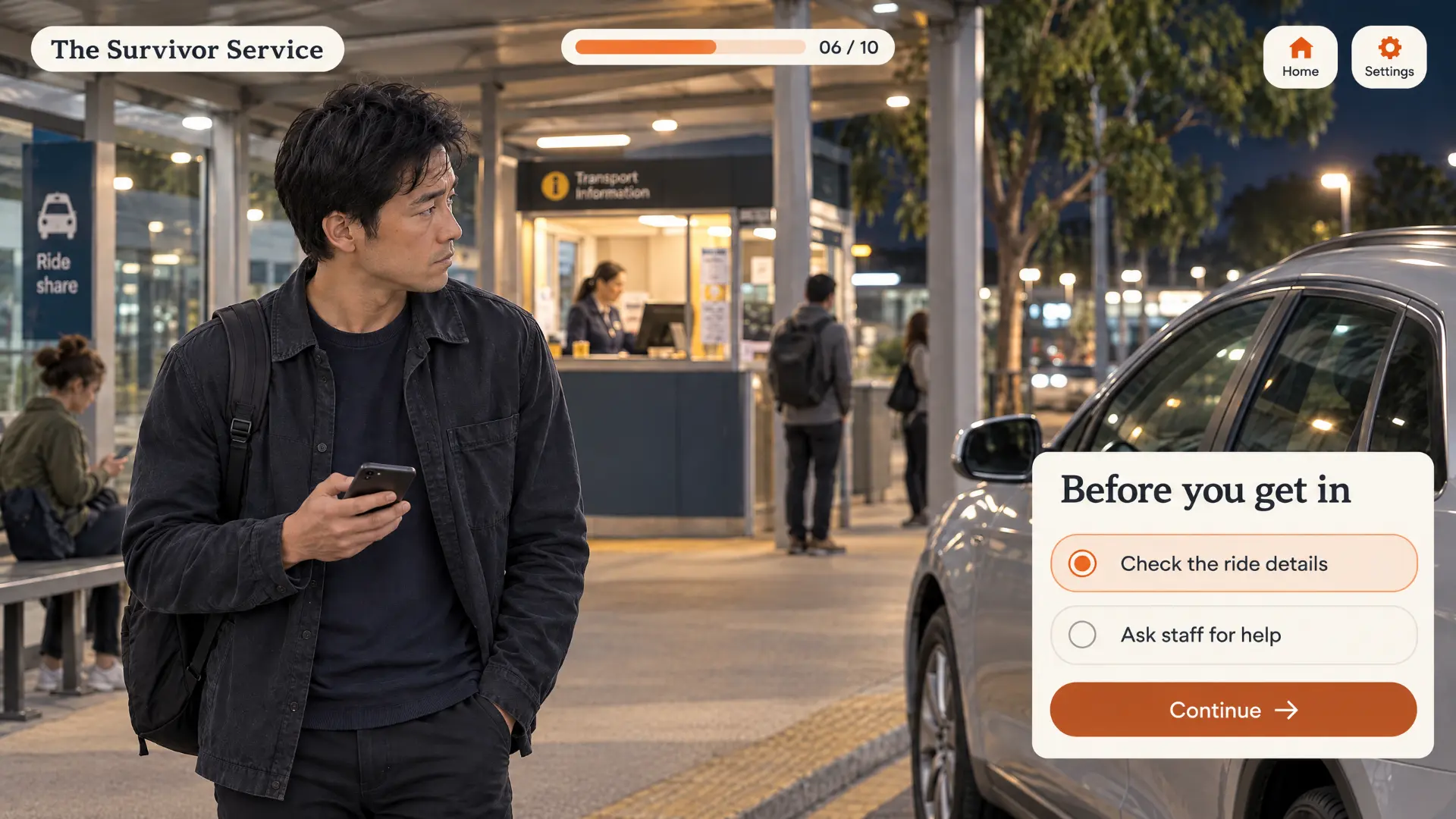
Purpose: Consider practical options while respecting the person’s circumstances.
Learner interaction: Explore a fictional transport scenario and discuss the reasoning behind available choices.
Visual brief: A transport setting with a compact choice panel and visible progress indicator.
TSS07
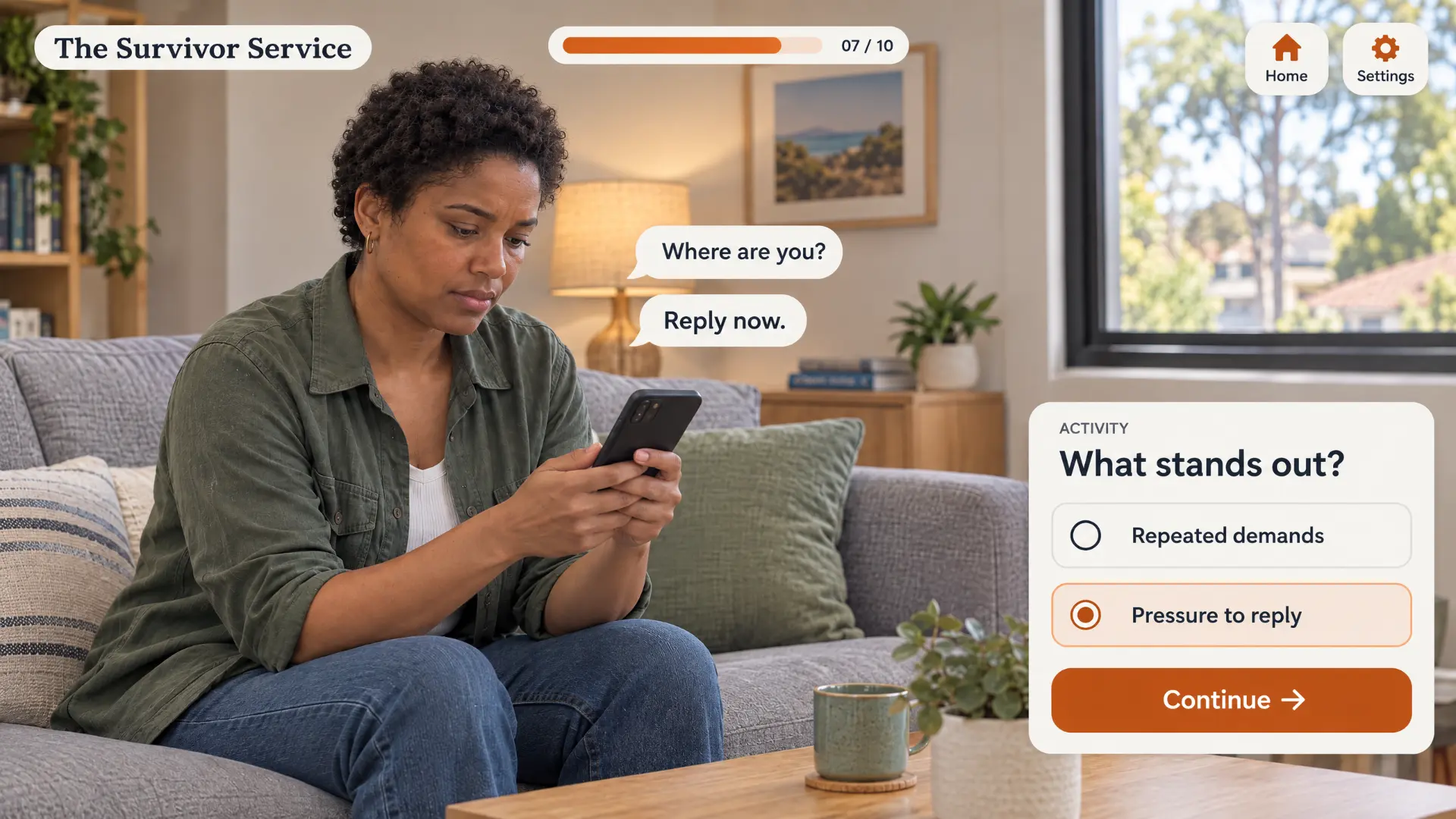
Purpose: Notice patterns of pressure in digital communication.
Learner interaction: Identify what stands out in a fictional message sequence, followed by approved explanations.
Visual brief: A phone-based scene with message overlays and a short knowledge check.
TSS08
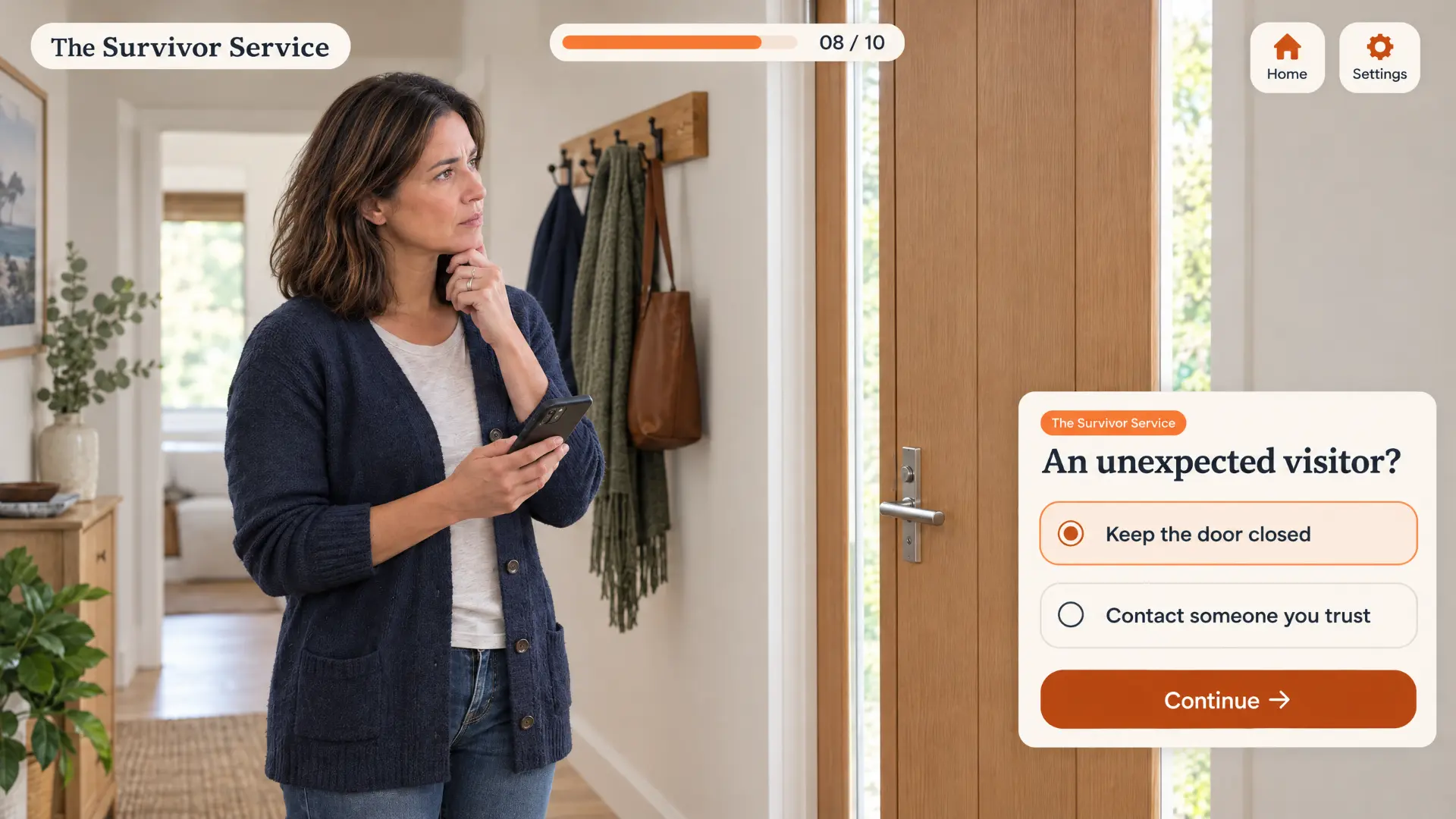
Purpose: Explore choice and support in a fictional home situation.
Learner interaction: Consider available responses with contextual feedback shaped by the client’s subject matter reviewers.
Visual brief: A home entrance scene with a clear, uncluttered decision panel.
TSS09
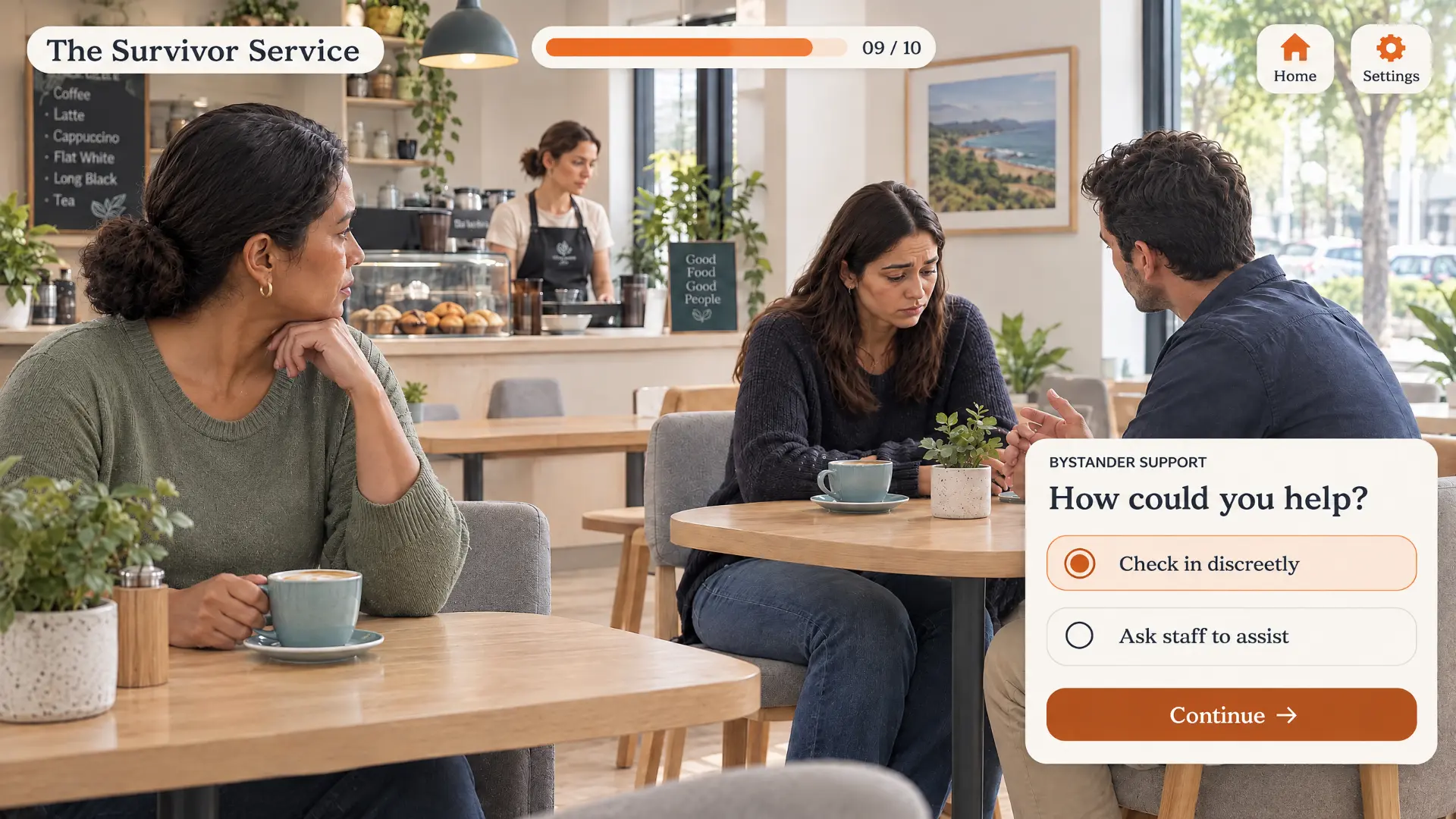
Purpose: Consider supportive responses that respect agency and circumstances.
Learner interaction: Compare ways to offer help in a fictional situation, with a debrief on context and survivor-centred support.
Visual brief: A café scene with a bystander prompt and short response choices.
TSS10
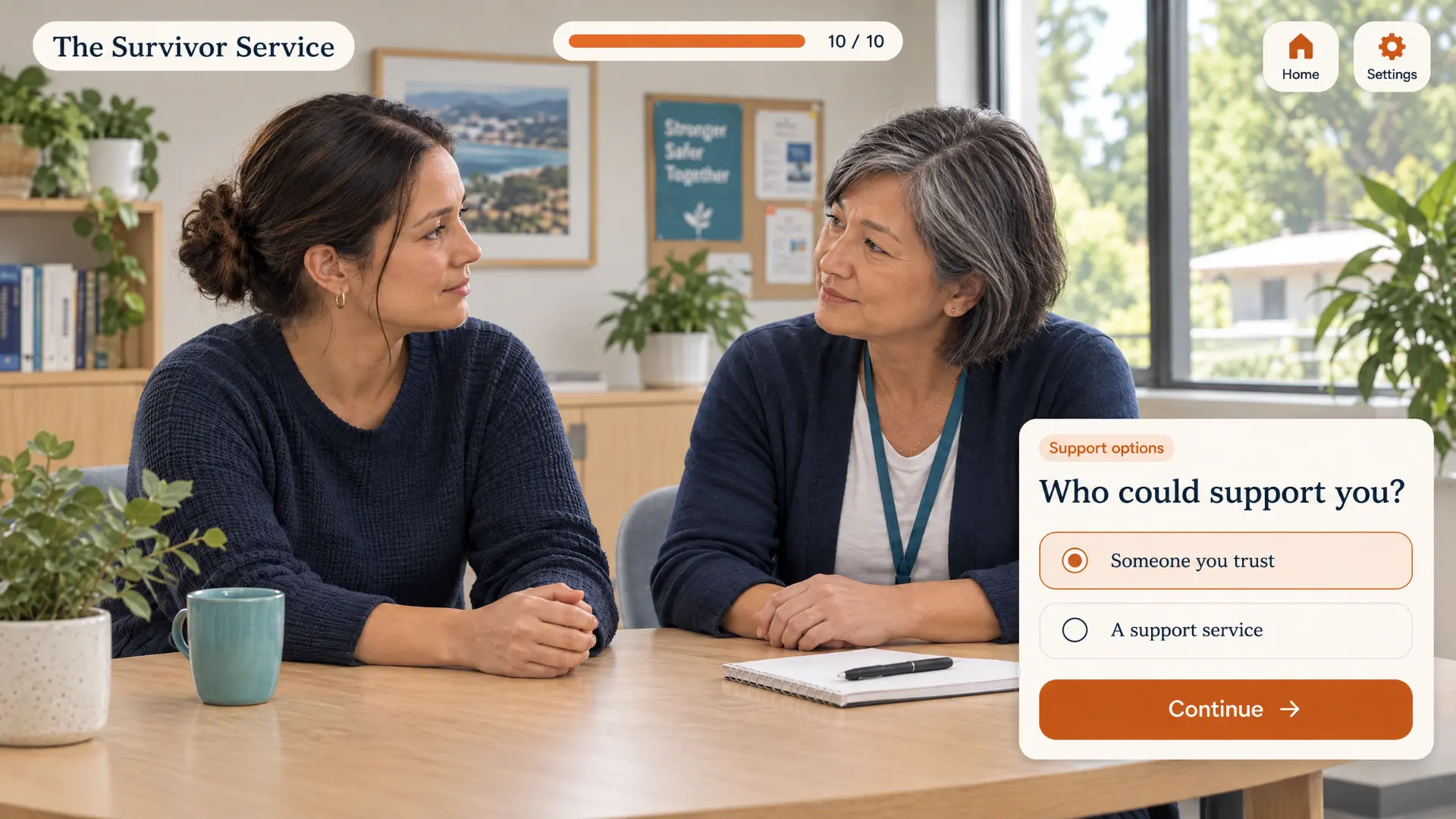
Purpose: Explore sources of support without prescribing a single path.
Learner interaction: Consider trusted people and approved support services, with resources and wording confirmed by the client.
Visual brief: A calm conversation scene with a concise support-options panel.
An ideas menu. The final selection depends on your content, audience and chosen scope.
TSS01 · Concept 1 of 10
Made by Buddy
Real examples from other Buddy projects — not concepts for The Survivor Service. Each opens in a new tab.
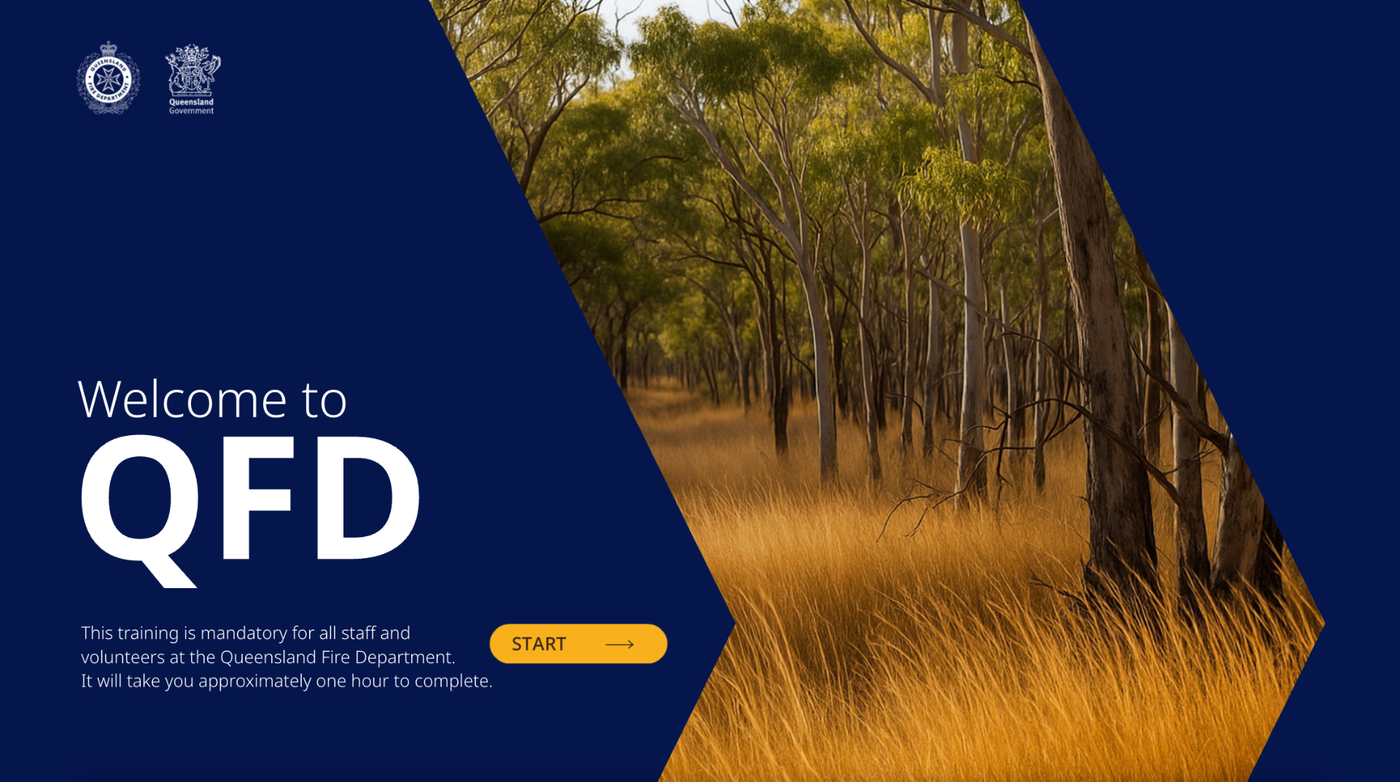
Portfolio example · Queensland Fire Department

Portfolio example · Vinnies
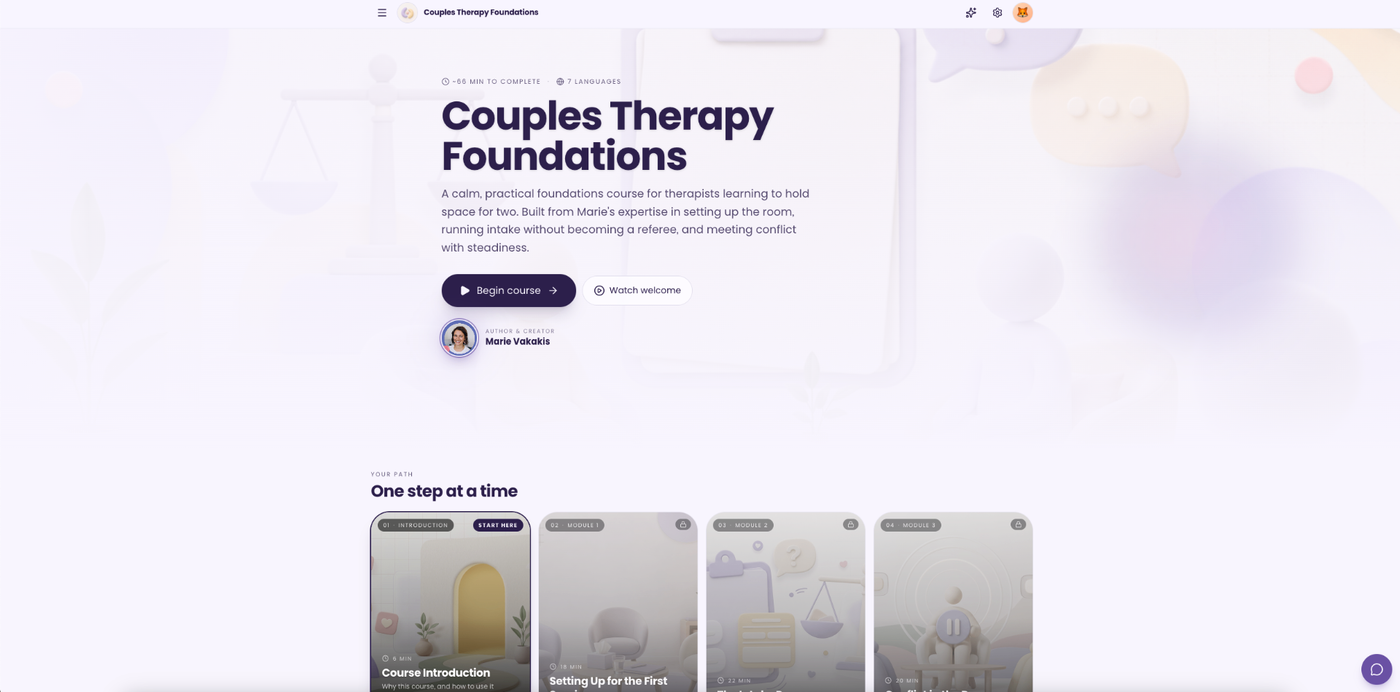
Portfolio example · Therapy Hub

Portfolio example · ACE Body Corporate Management
If an example doesn’t load, it may be temporarily offline — let us know and we’ll walk you through it.
Real reviews
“The learners and users love what you have built.”
“…delivering efficient and effective outcomes within or ahead of agreed timeframes.”
A simple process
You remain the authority on your content. We bring the learning design, creative production and technical delivery.
Existing training, audience needs, goals and practical requirements.
A learning outline, visual direction and representative sample.
Buddy develops the course; your team reviews subject matter and provides consolidated feedback.
Test access and reporting, release the approved module, and provide the agreed sources and guidance.
A simple technical setup
Participants open the course from your Squarespace website or a direct link, work through the learning, and receive a clear completion acknowledgement. Your nominated administrator receives a notification, with a completion record available for export.
We recommend a branded launch button on your website linking to the hosted course. A client-owned learning subdomain can also be explored.
If you need a hand with Squarespace, we can do this for you. Around half of Buddy’s business is creating website solutions and learning management systems (LMS) for course hosting and management, so we can help with the website connection as well as the learning itself. We’ll agree any setup work and costs with you before proceeding.
Embedding is an option, subject to your Squarespace plan, course compatibility and device testing. Not every Squarespace plan supports custom embedding.
Together we agree what “complete” means — for example, required learning sections and a final knowledge check.
The proposed record contains the agreed participant identifier, module title and version, completion date and completion status. Scores are included only if needed.
Named records require an agreed identification method. Anonymous access can’t confirm named attendance.
The provisional technical scope includes one nominated administrator notification destination and a simple protected completion register with CSV export.
Participant emails are optional and must be agreed. Routine completion reporting won’t collect personal experiences or sensitive free-text disclosures.
The hosted course needs a small reporting service or a compatible tracking player. A web export or embedded course alone doesn’t create a completion database.
For Rise or Storyline, we’ll confirm a supported tracking approach (for example SCORM, xAPI or a lightweight web hook) during the prototype. We’ll demonstrate a real completion event, stored record and administrator notification before fixing the technical scope.
The agreement should assign ownership of commissioned course content and bespoke deliverables to The Survivor Service, with third-party licences identified separately.
We’ll state authoring licence requirements before you choose a route — not every editing option is subscription-free. Client-owned accounts and access are agreed for hosting and records, and we’ll confirm data location, retention, administrative access and backups during setup.
Timeline
A planning range of 4–6 weeks for a small essential pilot. More detailed branching or custom development may require 6–10 weeks or more.
Week 1
Buddy: Discovery, content review and technical feasibility
You: Confirm audience, outcomes, source material and reviewers.
Week 2
Buddy: Learning outline, script direction and visual sample
You: Consolidated review and approval.
Weeks 3–4
Buddy: Course development and reporting setup
You: Review the working draft at the agreed checkpoint.
Week 5
Buddy: Revisions, accessibility checks and device testing
You: Confirm content and test the participant experience.
Week 6
Buddy: Final checks, release and handover
You: Approve launch and receive the handover.
Illustrative schedule. Dates depend on content readiness, selected technology, review turnaround and confirmed availability.
Choose your level
All figures are AUD excluding GST. Indicative only. A fixed quote follows content review and confirmation of the technical setup.
$99 per learning minute
+ $1,500 one-off course setup
Example 15-minute course: $2,985
Lower initial production cost for responsive lessons, standard activities, knowledge checks and supplied video.
Editable source handover requires an appropriate Articulate account and licence.
$299 per learning minute
+ $3,500 one-off course setup
Example 15-minute course: $7,985
For more detailed scenarios, branching choices and tailored feedback.
Editing requires a Storyline licence.
$299 per learning minute
+ $7,500 one-off course setup
Example 15-minute course: $11,985
For a tailored responsive interface and direct source-code ownership.
Structural changes may need technical help.
The ten concept interactions and new video production are not automatically included in every tier — the final mix is agreed in scope.
$1,500–$3,000 provisional
For one course’s launch integration, lightweight completion reporting, one administrator notification workflow, CSV export and end-to-end testing.
A working budget assumption for discussion, subject to the selected authoring route and technical prototype. It is not an established Buddy tariff or a verified vendor price. Course setup covers building and configuring the course itself; this allowance covers reporting integration only, so the same work isn’t charged twice.
A quick estimate
Adjust the options to see an indicative budget for one initial module.
Agreed learner seat time — not slide count or script word count.
Your indicative estimate
Development total
$4,485–$5,985 excl. GST
$4,933.50–$6,583.50 incl. GST
Estimated monthly infrastructure
$25–$75
$300–$900 per year, excl. GST
First-year planning budget
$4,785–$6,885
Excl. GST, incl. 12 months infrastructure. Before any authoring licence or Squarespace upgrade.
Indicative only. A fixed quote follows content review and confirmation of the technical setup.
Your project, made clear
A focused first module lets us test the learning approach, access and completion reporting together. Once the structure works well, it can become the foundation for future modules.

A discussion starter: the pilot topic and audience remain to be confirmed. One possible direction, inspired by your website, is supporting someone who shares an experience of domestic, family or sexual violence.
Approved outline, script, visual direction and representative interaction.
Course build, media integration, review changes and reporting connection.
Device and accessibility checks, completion testing, launch, source handover and update guidance.
What would help from your team
You can begin with a sample topic. We’ll identify any gaps together before agreeing the full scope.
Relevant experience
Led by Wendy, Buddy’s Head of Learning Design.
Our learning design team brings relevant experience in domestic, family and sexual violence education, including work with specialist practitioners, subject matter experts and lived experience contributors.
Wendy’s approach connects complex information with practical learning. Scenarios, language and visual choices are shaped around dignity, self-determination and survivor safety, with meaningful opportunities for expert review.

Wendy translated emerging research into scenario-based learning for practitioners. Activities explored technology-facilitated abuse, stalking, coercive behaviours and invitations to collude, helping learners consider responses that maintain accountability and keep victim-survivor safety visible.
Wendy wrote, designed and produced a video series for incarcerated men who use violence. She worked with subject matter experts and a lived experience group, refining language, scripts and visual treatment in response to feedback. The work considered cultural responsiveness, accountability and engagement.
Experience within our learning design team includes co-design of Family Safety Victoria’s Orange Door induction with culturally and linguistically diverse, LGBTQIA+ and Aboriginal and Torres Strait Islander stakeholders.
Project experience of Wendy and members of our learning design team; not every project was commissioned directly through Buddy.
For The Survivor Service, this experience would support a collaborative process that turns specialist expertise into accessible learning while keeping survivor perspectives central.
Selected examples of relevant team experience. Portfolio references only — not assets to reuse inside your course. Videos open on Streamable in a new tab; nothing plays automatically.
Next steps
Send us a sample of your existing training and a little about your audience. We’ll review the material, recommend a suitable starting point and confirm the scope, technical approach and fixed quote with you.
Questions
Yes. We recommend a branded launch button on your Squarespace website linking to the hosted course. Embedding is possible on some plans, subject to your Squarespace plan, course compatibility and device testing. If you need a hand with Squarespace, we can do this for you. Around half of Buddy’s business is creating website solutions and learning management systems (LMS) for course hosting and management, so we can help with the website connection as well as the learning itself. We’ll agree any setup work and costs with you before proceeding.
No. A complex LMS is outside the requested scope. A hosted course with a small reporting service can record completions and notify your administrator.
We agree what “complete” means — for example, required sections and a final knowledge check. A record stores the agreed participant identifier, module title and version, completion date and status, with a CSV export. Named records need an agreed identification method.
Yes, as agreed before development. Rise courses are transferred or copied to an appropriate Articulate account, Storyline includes project files, and custom web includes the source repository. Some routes need authoring software licences.
Usually, for text and content changes, with the right software and our handover guide. Structural changes may still need technical help.
Hosting and basic reporting (provisional $25–$75 per month), your existing Squarespace subscription, any editing software, and optional maintenance if you choose it.
Yes. The pilot uses reusable layouts and interaction patterns so future modules can build on it. New modules are scoped separately.
You do. Your team remains the authority on content; your subject matter reviewers approve the language, scenarios and imagery.